
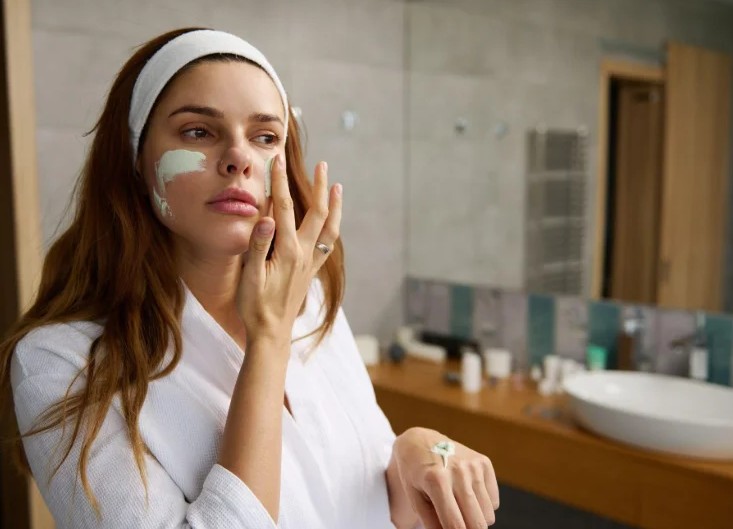
In the era of remote work, digital presence, and wellness-on-demand, looking and feeling your best doesn’t have to break the bank. Thanks to a wave of powerful (yet affordable or free) online tools, you can elevate everything from your skincare routine to your self-confidence — right from your laptop or phone. Below, we’ve gathered some standout tools and strategies that make self-care more accessible than ever.
1. Tweak Your Skincare Routine with SkinSort
Most people guess their way through skincare — and waste money in the process. Enter SkinSort, a tool that decodes skincare product ingredients and matches them to your skin’s needs. Paste in your product name or ingredient list, and SkinSort breaks it down: what’s hydrating, what might clog pores, what helps with acne, and more.
The database also helps compare products side-by-side so you can choose effective options based on evidence — not marketing hype. It’s ideal for anyone starting a new routine, struggling with sensitive skin, or just tired of paying $40 for a moisturizer that doesn’t work.
2. Find Your Colors with Colorwise.me
Looking washed out on video calls or photos? It might not be your lighting — it might be your color palette. Colorwise.me is a free color analysis platform that uses AI and selfie uploads to suggest your best clothing and makeup shades based on your natural coloring.
It’s like having a personal stylist in your browser. Once you get your “season” (like Soft Summer or Deep Autumn), you’ll know which colors enhance your features — whether you’re shopping for a new shirt or choosing a lipstick. This tiny change can boost your on-camera presence and day-to-day confidence.
3. Master Posture with PostureScreen App
Good posture is more than a vanity metric — it affects how you breathe, move, and project yourself. PostureScreen Mobile is a low-cost app used by chiropractors and trainers that lets you assess your posture from a side photo and offers feedback on misalignments.
While designed for professionals, individuals can use the app to track progress over time. Pair it with stretch reminders from a free tool like Stretchly, and you’ve got a DIY body alignment system.
4. Relax Your Face Muscles with Face Yoga
Staring at screens all day can make your face tense, contributing to eye strain and early wrinkles. Face Yoga Method and Glowinface offer free video guides that walk you through gentle facial exercises — think of it as yoga for your forehead, cheeks, and jaw.
You’ll reduce tension, improve circulation, and maybe even sculpt your features over time. Several studies suggest regular facial exercises can increase muscle tone and reduce signs of aging. All it costs is five minutes a day and some consistency.
5. Set Mood and Sleep Cycles with Sleepytime Calculator
Looking good often starts with feeling rested. The Sleepytime sleep calculator helps you wake up at the end of a sleep cycle rather than in the middle of one. Plug in when you want to wake up, and it suggests optimal bedtimes based on 90-minute sleep intervals.
This free tool doesn’t require downloads or an account. Pair it with a blue light filter like f.lux or Iris to improve melatonin production, and you may just find yourself looking more refreshed — even before your morning coffee.
6. Virtual Try-Ons with GlassesUSA and Warby Parker
If you wear glasses or plan to, knowing what frames suit your face shape is a game-changer. Platforms like GlassesUSAand Warby Parker offer free virtual try-ons using your webcam, so you can preview dozens of frames without stepping into a store.
They also let you filter by style, size, and even prescription compatibility. Even if you don’t buy from them, the try-on tech helps you figure out what styles fit your face — saving time and boosting your confidence next time you shop.
📸 Photo Confidence FAQ: Free Editing Tools to Feel Your Best in Every Shot
Whether you’re prepping for a LinkedIn photo, a dating app profile, or just want to feel more confident online, photo editing is a powerful — and now accessible — way to present your best self. Here are five of the most common questions people ask (and answers to help you glow up responsibly).
Q1: What’s a free tool I can use to quickly edit photos online without installing software?
A: Try Adobe Express—it lets you edit photos online without downloading anything. You can adjust brightness, remove blemishes, add filters, and even resize or crop for different platforms. It’s intuitive and beginner-friendly.
Q2: Are there tools that help me remove the background from my photo for a clean, professional look?
A: Yes. Remove.bg is a powerful free tool that instantly deletes backgrounds from photos. It’s perfect for profile pictures, resumes, or e-commerce product shots. You upload, it removes — no skills needed.
Q3: How can I whiten my teeth or brighten my eyes in a photo without overdoing it?
A: Tools like Fotor and Pixlr have touch-up brushes that let you gently enhance features without creating a fake or over-edited effect. Use moderation — a light hand makes you look polished, not plastic.
Q4: Is there a photo editor that suggests enhancements automatically?
A: Let’s Enhance and PhotoRoom both offer AI-powered enhancements. Upload your photo, and they’ll auto-adjust lighting, clarity, and detail to create a sharper, more flattering image.
Q5: I don’t want to change my appearance — just improve lighting or remove shadows. Suggestions?
A: Polarr is an advanced (but free) photo editor that lets you fine-tune lighting, contrast, and highlights manually. It’s ideal if you want full control without altering your features. Think of it as makeup for your lighting.
Looking and feeling your best doesn’t require expensive treatments, professional stylists, or heavy filters. With the right tools, a little intention, and consistency, your confidence — and appearance — can get a serious upgrade on a shoestring budget.


